Wednesday, 6 August 2014

QuickBooks Enterprise to be discontinued

Due to the recent announcement by Intuit UK who have confirmed that QuickBooks Enterprise is to be discontinued, support for QuickBooksEnterprise will start being phased out within a year as advised below. This is a decision that has taken us by surprise, as it was not something that Intuit effectively communicated to their customers.
 
QuickBooks Enterprise Discontinuation Time Scale 
- UK technical support will only be available until July 2015
- After July 2015 Intuit will provide support via email only
- No new versions will be released
- Payroll will stop after 2014/15 PAYE year end
- Intuit will only provide critical bug fixes until 2017


While we don't agree with how Intuit have handled the situation, it is imperative that you start thinking of alternative accounting systems to replace QuickBooks Enterprise, we don't want people to feel stranded or rushed into making a decision. 

What does this mean?
Current users of QuickBooks Enterprise will regrettably have to move over to a new system within the next couple of years (sooner if you use UK Payroll).

Furthermore there is no longer any QuickBooks application for businesses with more than 5 users. As such, businesses who have outgrown QuickBooks Enterprise will also need to start making a decision about what alternative will best fit their business needs.


What we recommend.
There are three alternative solutions that best fit the gap left by QuickBooksEnterprise;

1) You can move to the US version of QuickBooks Enterprise, which will have a familiar look and feel but there is no automatic data conversion, it requires a work-around to cope with VAT on purchases and there is no UK payroll system. 
2) You can downgrade to QuickBooks Premier. This will only be viable if you have less than 5 users and comes with no automatic data migration. Although we are currently in discussions with a company who will be able to help provide this service.

3) Alternatively you could consider moving to Acumatica Entrepreneur. This is a full ERP system in the cloud, priced and configured for the smaller business. It does not have a payroll system but does have all the functionality required to cater for the business processing needs of a growing company. 

What is Acumatica Entrepreneur?
Acumatica Entrepreneur is hosted on a UK server and is provided on a monthly rental basis, with a minimum of 10 users and 1 company, it is configured to suit previous QuickBooks users and includes the data migration of all Nominal Ledger transactions and lists.


Benefits and Features
- Ease of use
- Customer Relationship Management (CRM)
- Fixed Assets and Intercompany Accounting
- Advanced Stock Management and Sales Order Fulfilment
- Project Accounting with Web Based Time Sheets and Expense Approvals
- Report Writer, Dashboard Designer and Generic Inquiry Creator
- Responsive html screens
- Multi- segmented product codes and account structures


Why Acumatica?
Founded in 2007, with headquarters in Kirkland, Washington, Acumatica have offices in Washington DC, Moscow, and Singapore. The company is operated by a team mostly made up of former Microsoft executives and with programmers who were the developers behind the Solomon ERP system (now Microsoft Dynamics SL).

Acumatica have won many awards; twice named in the 'Top 20 Coolest Cloud Companies' by CRN, awarded a 'People’s Choice Stevie' for Favourite Financial Management Solution and more recently won a CODiE Award for 'Best Supply Chain Management Solution' in 2014. They have also made great strides in the Nucleus Research ERP Value Matrix and are swiftly advancing towards 'Leader' status.


If you would like any further information then you can also visit our website www.quickerpsolutions.com or our dedicated Acumatica website www.cloudaccountingUK.com

Monday, 16 September 2013

Featured in the Brochure!


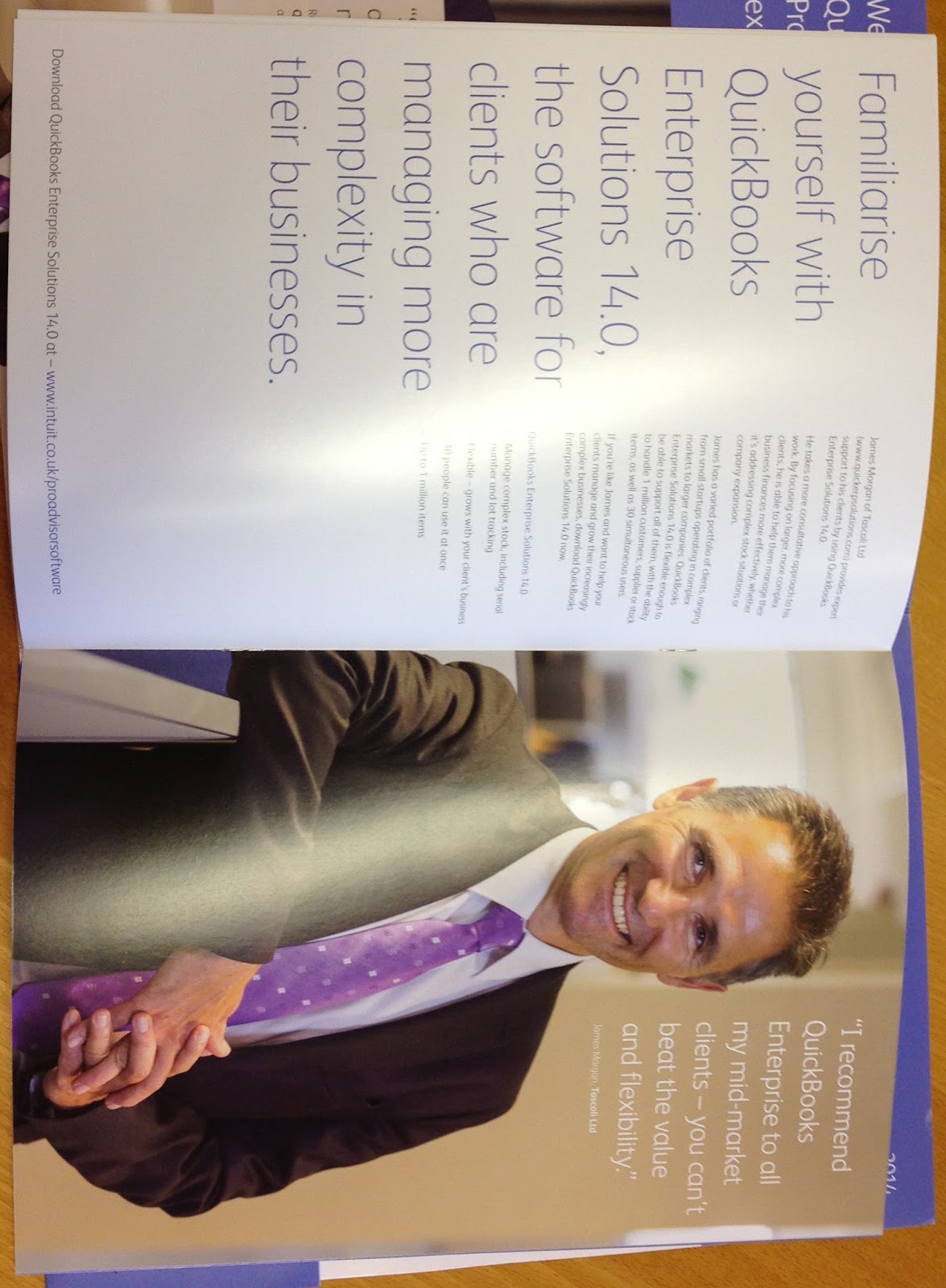
Our Director, James Morgan, has featured in the Intuit ProAdvisor Brochure. James spends regular time with the staff at Intuit advising on QuickBooks Enterprise Solutions and recently was interviewed and photographed.


Monday, 1 July 2013

QuickBooks 14 Alpha Testing

We have been lucky enough to be involved in the testing process of QuickBooks 14 - it's in the early stages, but spy some pretty exciting changes when it come to price levels and discounts! We'll tell you more as soon we are allowed to!

Thursday, 27 June 2013

Working together with Intuit

Our director James Morgan has recently been working together with Intuit. So far he has done two webinars for the QuickBooks Pro Advisors about QuickBooks Enterprise.

More to come and soon there will be some for the users! We will keep you posted!

Friday, 21 September 2012

NEW RELEASE! QuickBooks 2013!!


QuickBooks Enterprise 13 UK

The latest release of QuickBooks Enterprise sees a very exciting BRAND NEW LOOK! There are also some fantastic changes to the Customer, Supplier and Employees Centres.


  • The Centers are now organised by Tabs allowing you to easily access notes, contacts and to-do lists.
  • Multiple notes can now be added on each record.
  • Multiple contacts can now be created for Suppliers, as well as Customers.
  • Choose which fields are displayed in the Edit window.
  • A number of new fields have been added to track information.


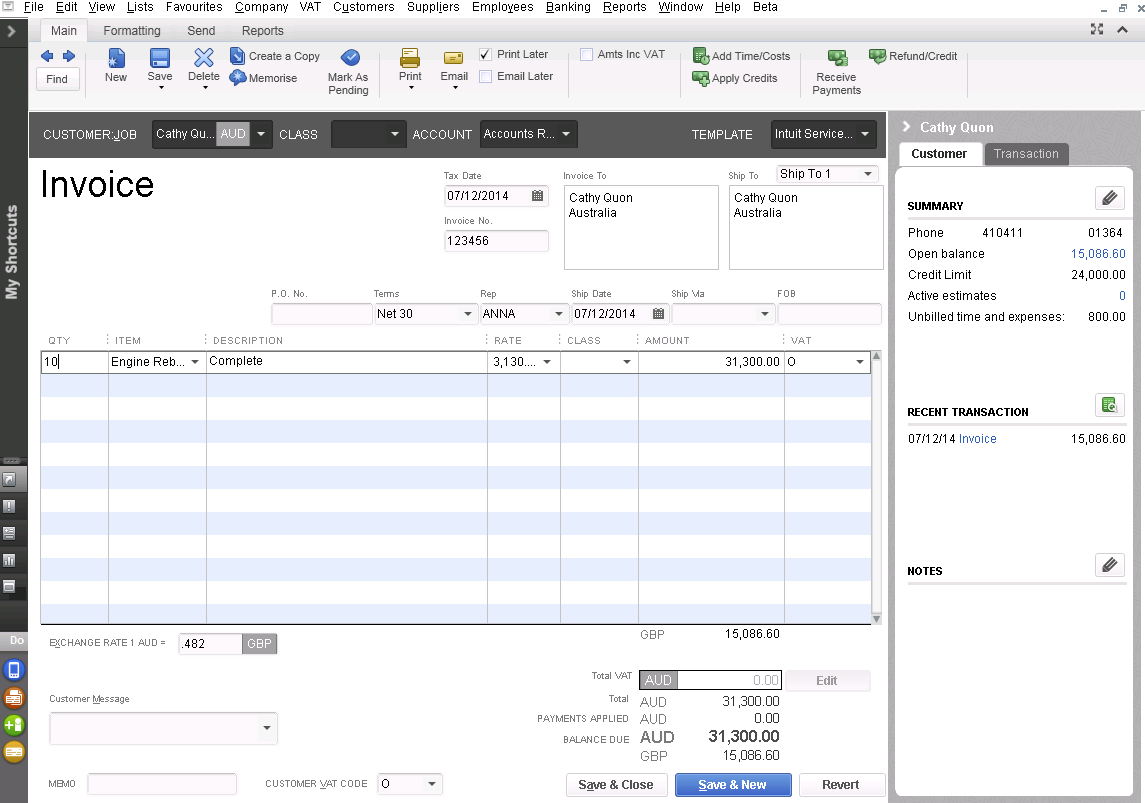
QuickBooks UK Invoice Screen

 For more information please visit our website www.quickerpsolutions.com 

or call us +44 (0) 844 445 7133

Tuesday, 4 September 2012

Dashboards , Drivers and mud


dash·board/ˈdaSHËŒbôrd/
Noun:
       1.      The panel facing the driver of a vehicle or the pilot of an aircraft, containing instruments and controls.
      2.      A board of wood or leather in front of a carriage, to keep out mud.

How rally drivers, pilots and carriage drivers would smirk at the colourful charts that now go by the name of “dashboards”!

Well we think that they might just like ours! 

We have just released the second version of our own dashboard with the prototype for the third on its way and we have very much kept the driver and the pilot in mind.


Our dashboards run in a web browser on the client server.  The pages carry your branding and you control who has access to the site and the individual sections. 
 
We are providing a set of standard graphics and will continue to add to these. They will cover the financials, receivables, payables, inventory, sales and ordering, project management and even CRM.

Our aim is to provide the graphics which the accounting system doesn’t.

Not only do you have a graphical view of the information but there is drill down too.  Click on any segment of the graphic and you will see a list of the data that makes up the value.


Of course every business is different so we expect clients to request modifications or request their own specific graphics.


Just like our early adaptor client Learning Resources who needed to manage the performance of their logistics provider.  They needed to see how quickly orders were despatched.


There are many brilliant things about these graphics which should really excite managers and executives.  The graphics are refreshed all the time providing up to date information.

One further thing that will excite the CFO is the low cost.  They make Business Intelligence extremely affordable and very simple.

But the thing that will delight the drivers and the pilots in business is the addition of our collaboration pane.  Typically any measure or graph requires some action, good or bad, something is always communicated. We call it “Group Action”.

 It’s like a social network for business teams.

For example our outstanding order dashboard is showing that there is over £40k tied up in orders that  need to be picked.  Assume that for this business it’s a big problem and something needs to be done about it. 


Click on the icons that create a snapshot of the graphic, start a new action, give it a status and invite your team. 


They will be notified and before long the necessary actions are taken and they are all noted on your dashboard.


We predict that more communication within a business will take place in these action forums than in your email inbox.


If you want to stay out of the mud then get these dashboards fitted to your business!

Thursday, 16 August 2012

Past Projects

We've updated our 'Projects' page! These new and improved project overviews, for a few diverse industries, show how our financial packages and integrations have worked to improve the efficiency and financial well being of companies like yours.

Visit our projects page www.quickerpsolutions.com/projects

Wednesday, 1 August 2012

QuickBooks on the Cloud

Get QuickBooks Enterprise on the Cloud

QuickBooks Cloud

We can provide you with QuickBooks Enterprise Solutions on a cloud server. It's the safest way to run QuickBooks Enterprise in the cloud;

  • Multi user access at anytime, from anywhere through the internet
  • No dangers - you own the software and the data
  • Option of local back ups and standby machine disaster recovery
  • Quick set up
  • Available added security
Our Cloud Server allows you to have access to QuickBooks Enterprise Solutions from anywhere via the internet. Unlike other cloud based accounting systems you own the software and the data. We put your desktop licensed QuickBooks Enterprise on a cloud server, we can add extra secruity and disaster recovery. We can also integrate QuickBooks Enterprise with third party solutions.

Pricing: The hosting of QuickBooks Enterprise Solutions with up to 30 users on a cloud server approx £180pm

For further information and to discuss your needs please call us on +44 (0) 844 445 7133 or email us.

Tuesday, 24 July 2012

The Olympic Torch Relay

Torch9

We were very lucky to witness the Olympic torch relay go right outside our office today!! We all got in to the spirit and stood outside the office to watch the hand over of the flame between two torchbearers.

We are all very excited about being in London for the 2012 Olympics and would like to wish Team GB lots of luck!

Tuesday, 17 July 2012

QuickBooks Enterprise Myths


QuickBooks Enterprise myths - here's the truth...

Myth 1: QuickBooks is only for very small businesses

Reality: QuickBooks is the No.1 financial management software for businesses with 20 to 500 employees. QuickBooks Enterprise Solutions is the most advanced version of QuickBooks designed for growing businesses with up to 30 users or multiple locations.

Myth 2: Businesses don't switch to QuickBooks from other mid-level accounting systems

Reality: More than 12,000 companies have switched to QuickBooks Enterprise Solutions from Sage MAS 90, Microsoft Great Plains and other mid-level systems. And 84% of them say QuickBooks Enterprise Solutions is easier to use than their previous software. 

Myth 3: You're on your own to get up and running on QuickBooks

Reality: Your first year of technical support is included with QuickBooks Enterprise Solutions, we also offer data conversion to help you convert your data from your current system. We provide local UK support services - remote or on-site depending on your preference.

Myth 4: QuickBooks isn't scalable and secure enough for more mid-sized businesses

Reality: QuickBooks Enterprise Solutions has the capacity to track 100,000+ customers, vendors, and inventory items so there's virtually no limit to your growth. You can add up to 30 simultaneous users as your business grows, and utilize the advanced user permissions for exceptional control over how users access your system and data.

Myth 5: QuickBooks cannot solve the unique needs of your business

Reality: QuickBooks Enterprise Solutions industry editions offer specialized tools and reports designed to work the way you do — at no extra cost. Enterprise Solutions also works seamlessly with other Intuit business services and 3rd party developed apps to solve the unique needs of your business.

Thursday, 12 July 2012

QuickBooks Enterprise Videos


QuickBooks Enterprise - Videos


Visit our website to see a video showing you how to use the company snapshot and search feature...these little features really do enhance your day to day usage of the software.

Thursday, 10 May 2012

What's So Good About QuickBooks Enterprise?

There is an awful lot good about QBE as we like to call it.  But the single best thing about QBE is its price.  It is four times cheaper than the average mid-market accounting system.  Four times, not four per cent, four times !  A 20 user version of a Sage or Iris Exchequer mid-range system will cost about £20,000.  QBE costs £5,000.
Having got your attention I hope to keep it before you start thinking about what to do with the remaining £15k in your budget.
 

For me the remaining top 4 benefits are:
  1. Easy to use.  Yes they all say that but some systems really are very difficult to use.  QBE is well designed to make it simple, it has an active technical community forum and it has tips and movies for most of the functions. 
  2. Well connected.  Quickbooks has a huge base of users, most in the US but nevertheless this has resulted in a large number of independent business applications that connect to QuickBooks and the Enterprise system, QBE. They all connect through the QBE web connector so it’s a consistent and fairly simple set up.  We use an on line web time sheet system which took about 2 hrs to set up.  It has connections to CRM systems like Salesforce, Sage CRM, Sugar and a few CRM applications designed specifically for QuicBooks.  There are also a number of plug-in ecommerce applications and point of sale systems. 
  3. Great filing.  QBE has an integrated document management system.  You can drag an email attachment onto the transaction or account and its available for look up at any time.  Besides this, QBE provides a click through to the original transaction from all of its reports. 
  4. Smart financial report writer.  Its called QSW.  It completes the reporting job that many other systems leave undone.  Apart from enabling you to create the report through a designer in Excel it recognises the need to pull a number of reports into a financial pack.  Typically this would be a Balance Sheet, P&L, Cashflow, some divisional reports, a commentary etc,  Each of these are on separate tabs,  Once you are ready you run the report and it combines the lot into a PDF.

There are many other benefits and in the next post I will cover 6 – 10.


It’s important however to point out some negatives.
1.      You won’t look so good at a dinner party with other business leaders when the subject of ERP systems come up.  The others who preside over SAP, Sage, Microsoft and Exchequer may have a guffaw at your expense when you tell them that QBE is running your multi million pound business.  You will have to wait till the end of the evening for your payback as you drive off in your Porsche paid from the saving in switching to QBE. (Calculated saving over 5 years including maintenance and consulting fees).
2.      There is only one field that controls the fiscal period allocated to a transaction.  That is the document date.  For those of us who are used to the older systems this is a big weakness.  Typically, almost half of the supplier invoices are not posted into the period that corresponds to the date of the invoice.  There are two main reasons for this;
·         invoices are received late
·         there is a delay in getting them approved and entering them in the system. 
To a large degree, businesses are sending invoices out promptly, particularly in this economic climate, so it’s not as big a problem.  Nevertheless we would still opt for a separate fiscal period field.
3.      Certain accounts are fixed, their position cannot be changed.  This applies to the Exchange Gain or Loss account.  We would like to split it by currency and between gains and losses. 
Overall QBE is an amazing system because of its price and functionality.  It will make your staff more productive too.  There is very little need for on-going support once you are set up but, we will try our hardest to recommend add ons and reports. We have to do something !

Thursday, 19 April 2012

Why Upgrade to QuickBooks Enterprise?

If any of the following statements apply to your business, then QuickBooks Enterprise Solutions can help you be more efficient:
  • You need more than 3 simultanious users 
  • You have specialised roles or departments (e.g. sales, purchasing, payroll)
  • You want more control over what your users can see and do in QuickBooks
  • You need more robus reporting or inventory control
  • You operate in two or more locations, have remote workers or want access from home
  • You use multiple company files to track your business
  • You process a large number of transactions
  • You would like more custom fields to track data specific to your business 
  • You are running out of space to track customers, suppliers or items


    www.quickerpsolutions.com